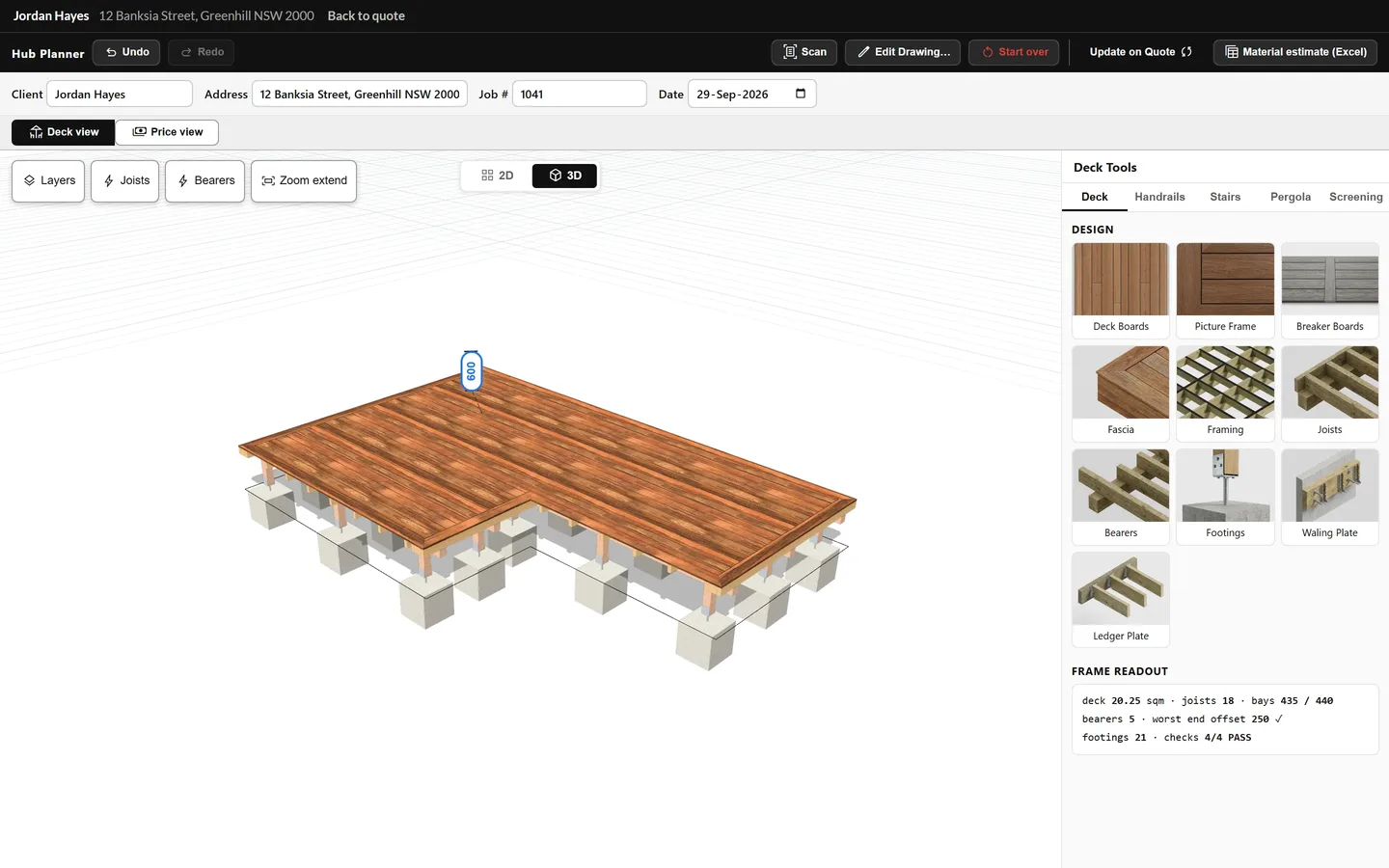
You design the deck. The Deck Hub estimates and quotes it for you, labour included.

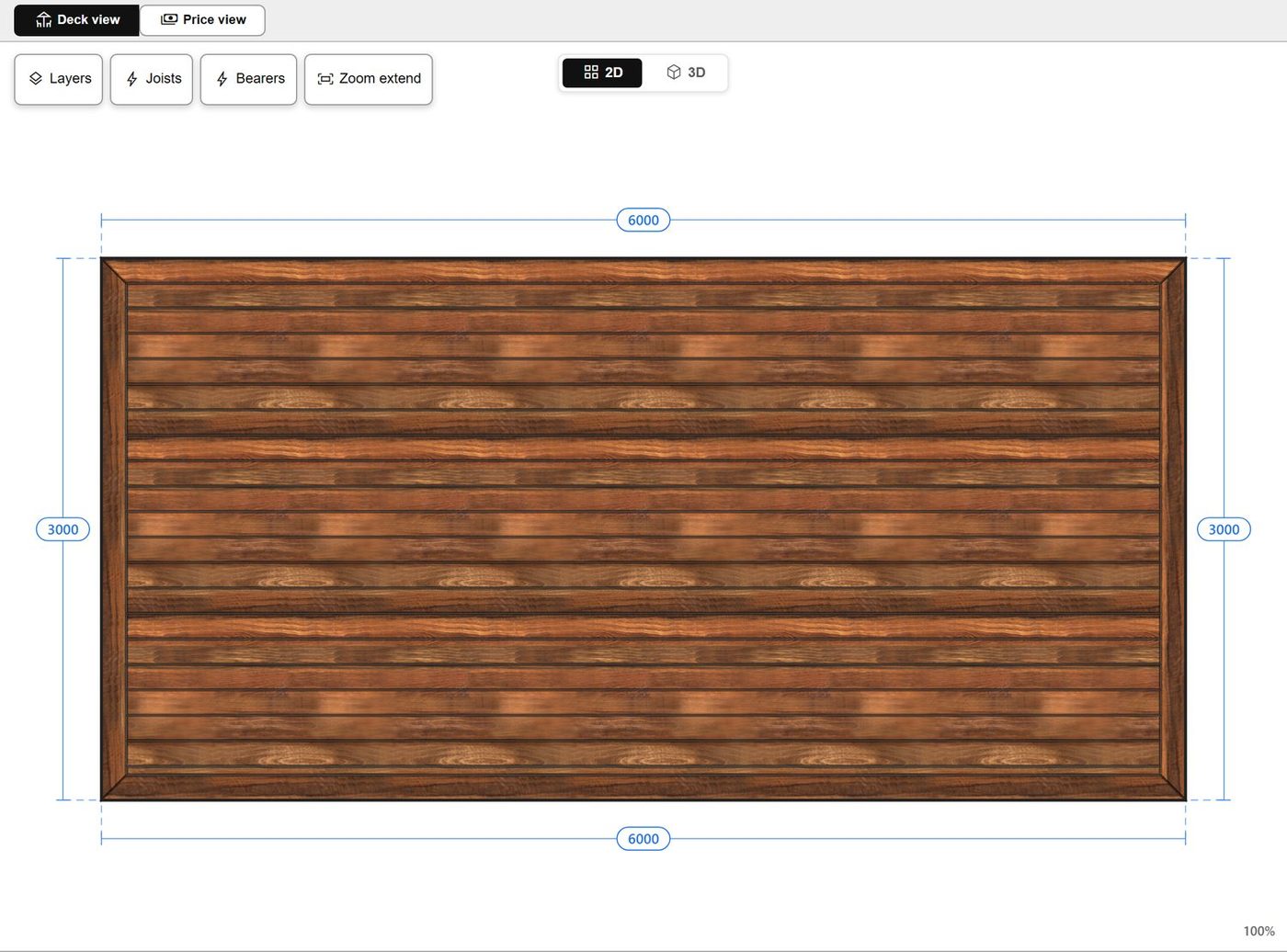
Draw your project and set your materials. The Hub reads the plan, fills every quote item with quantities and labour time, and builds the whole quote. You check it and send it.

7 day trial with a $1 card check. Nothing charged until day 8. No lock-in, cancel any time.

Demo video
What the 1 minute video shows

From a blank screen to a sent quote.

Six steps. No setup, no spreadsheet.

1

Open the planner.

2

Draw the deck shape.

3

Set the decking board to composite.

4

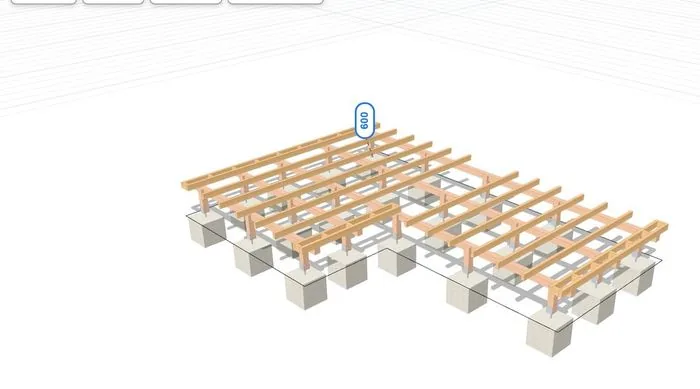
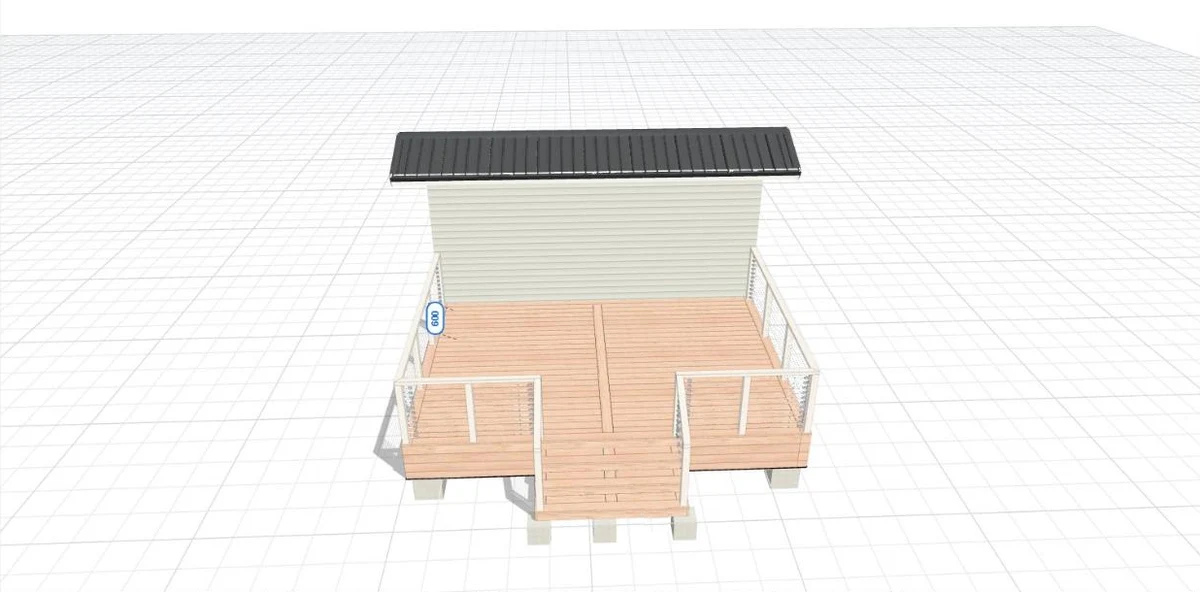
Set fascia, framing and decking settings. Add stairs and handrails.
5

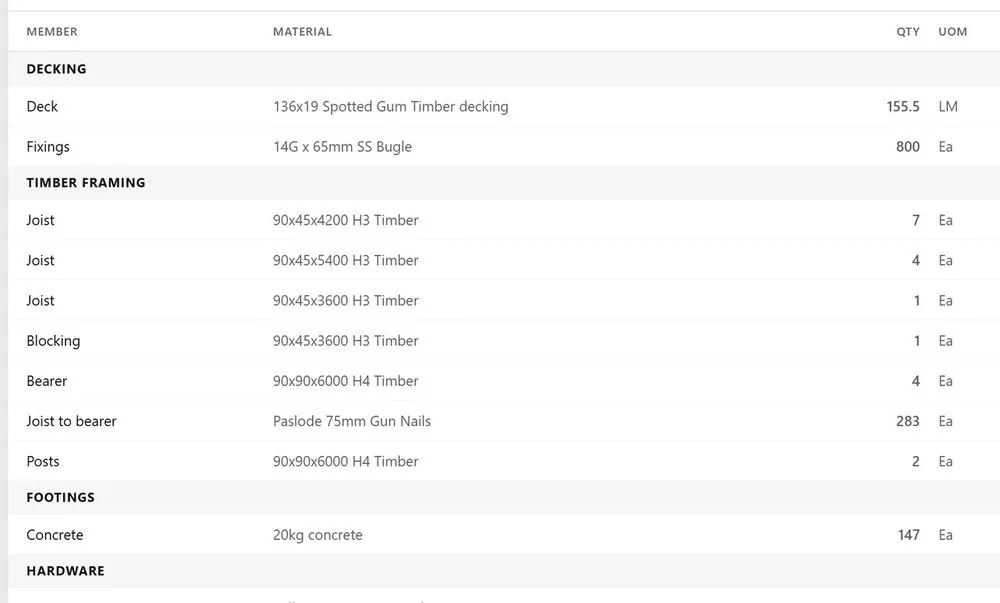
Send to quote. The Hub reads the plan and fills every item with quantities. Choose the breakdown and how much each line shows.
6

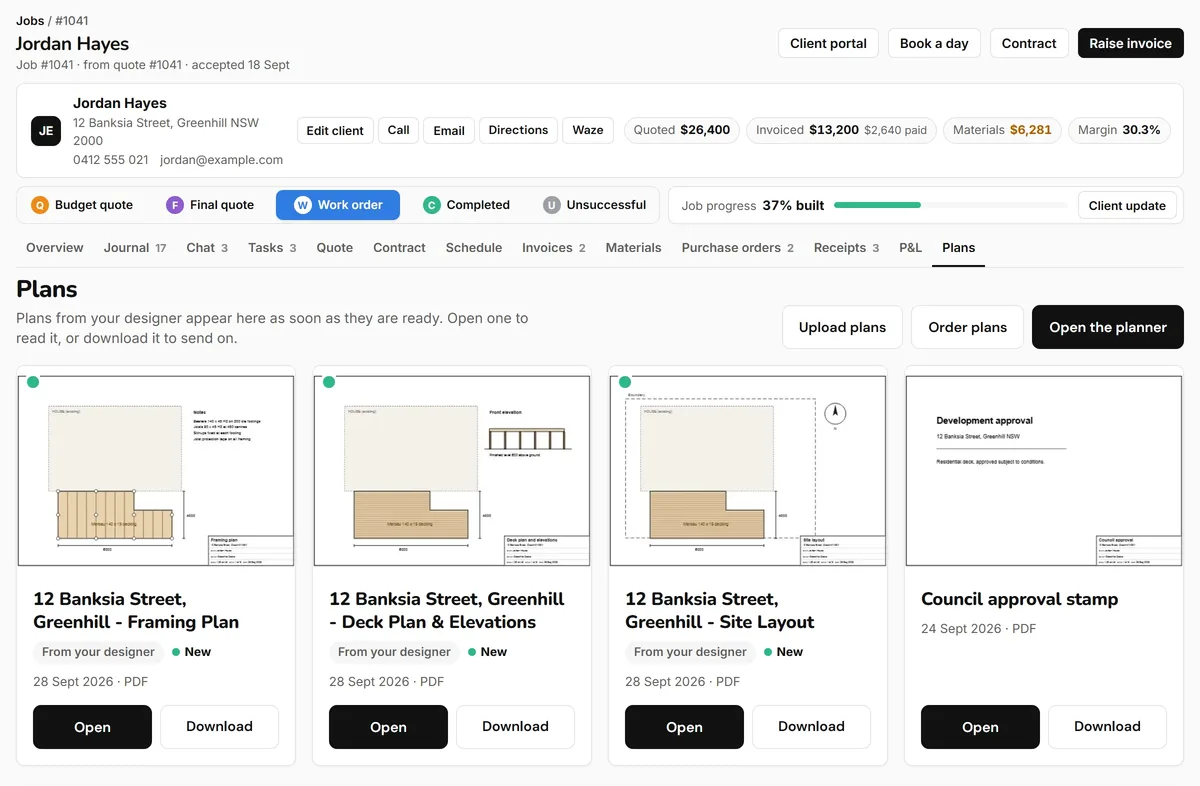
Add the deck plan picture so the client sees what was allowed. Send.
Sound familiar?

The office side of deck building.

01Worked all day on the tools, then spent all night on quoting?
02Took you 3 hours to estimate and quote a deck, and the client didn't even say thank you?
03Quoted a job and forgot to allow for the breaker boards?
04Spending every Monday in the office quoting, instead of on site leading the show?
05Did the site visit, took 5 days to send the quote, and now the client has gone cold?
THE HUBDraw it. Price it. Send it.The quote is ready while you are still on site.
What our beta testers said in their first week
“I’m loving quoting again.”
TristanNail It Constructions
“Having too much fun. I actually feel like I enjoy quoting with it.”
JoshElevated Concepts
How it works

Draw it. Auto estimate. Send it.

Step 1

Draw it

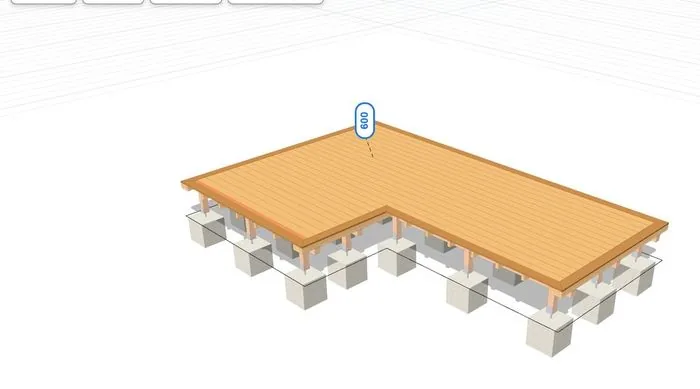
Draw your project and set it up: decking, fascia, framing, stairs and handrails. See it in 3D.

Step 2

Auto estimate

The Deck Hub counts every material and framing member drawn on the plan and makes the bill of materials instantly, already working out the best joist and bearer lengths.

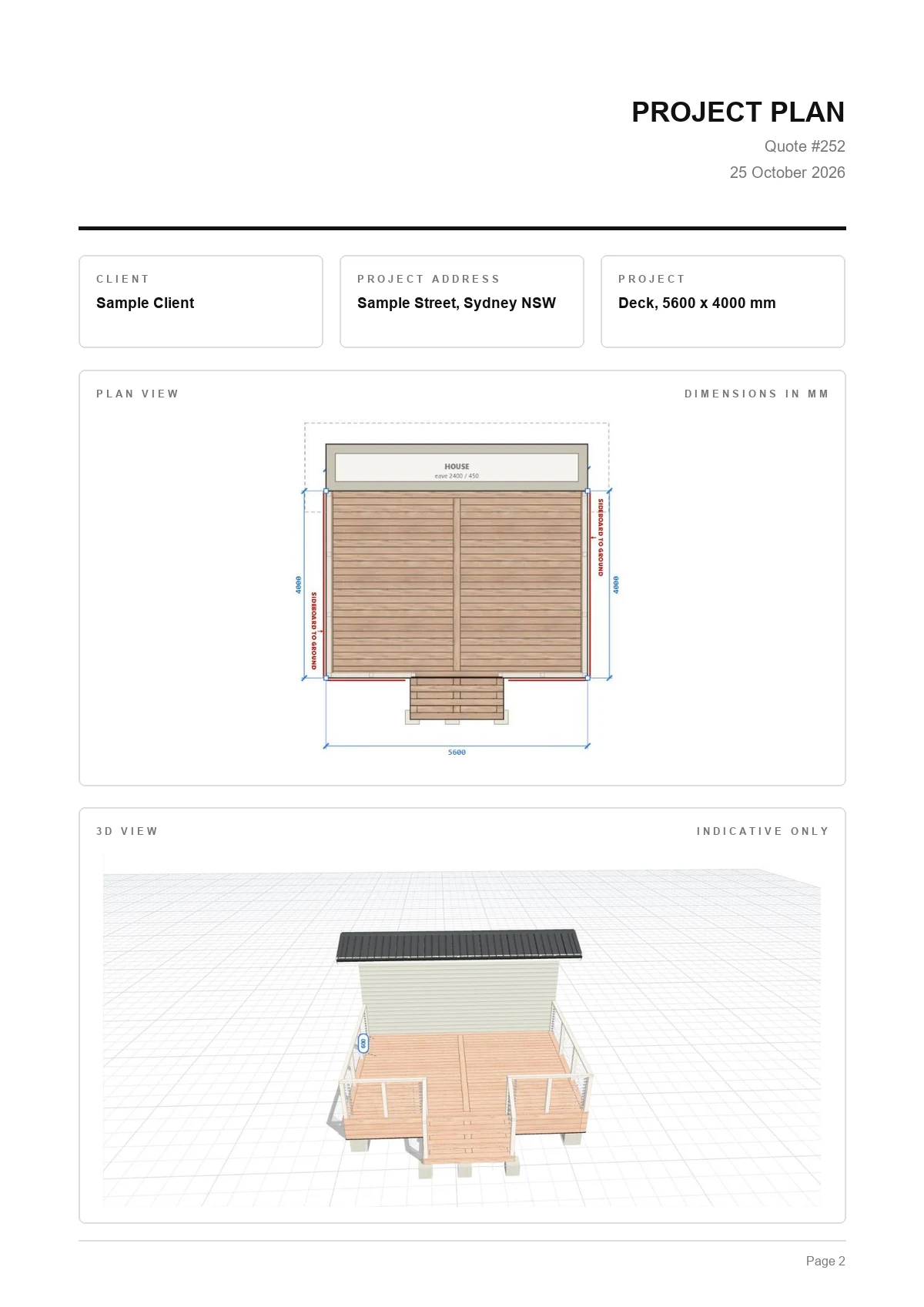
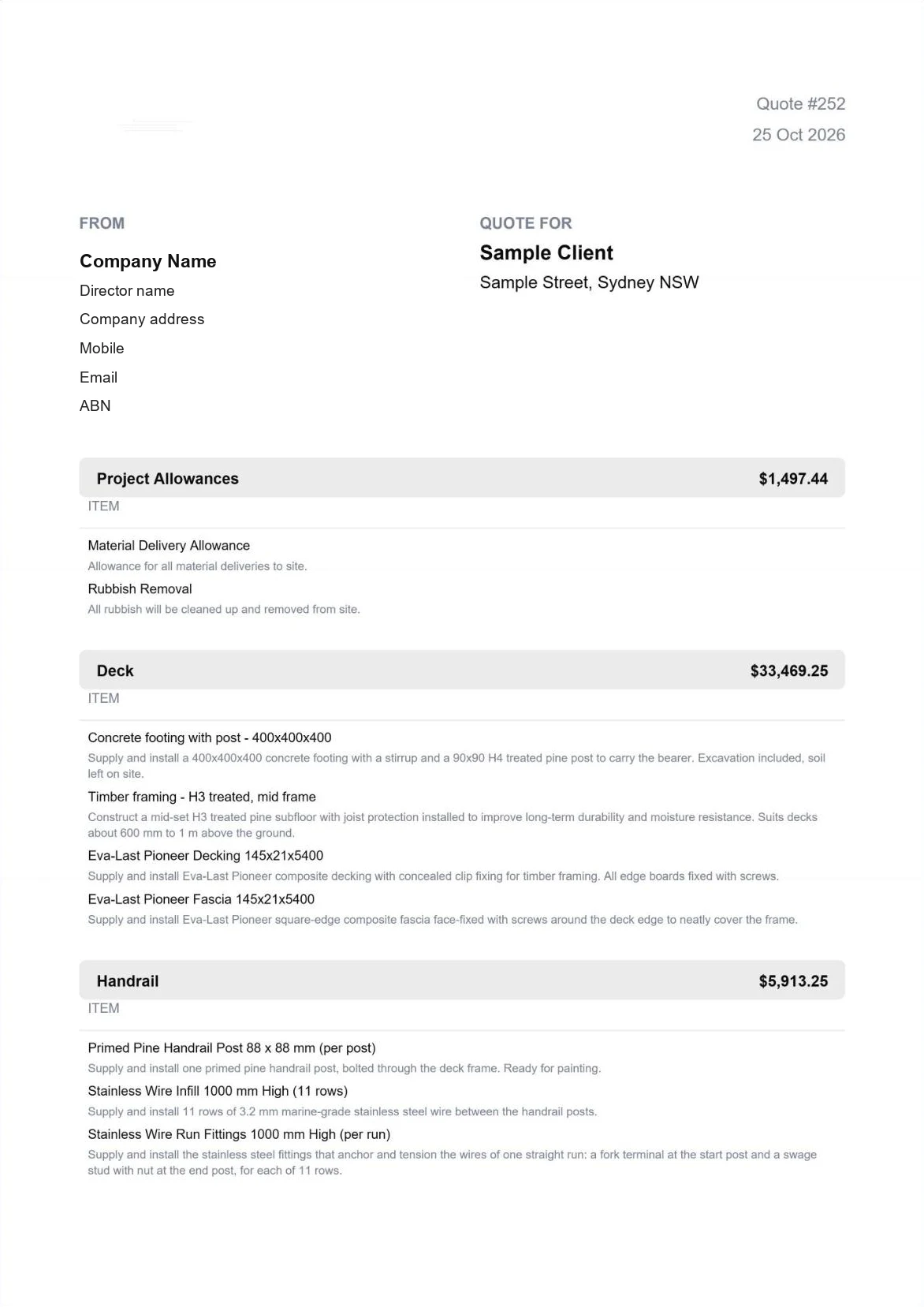
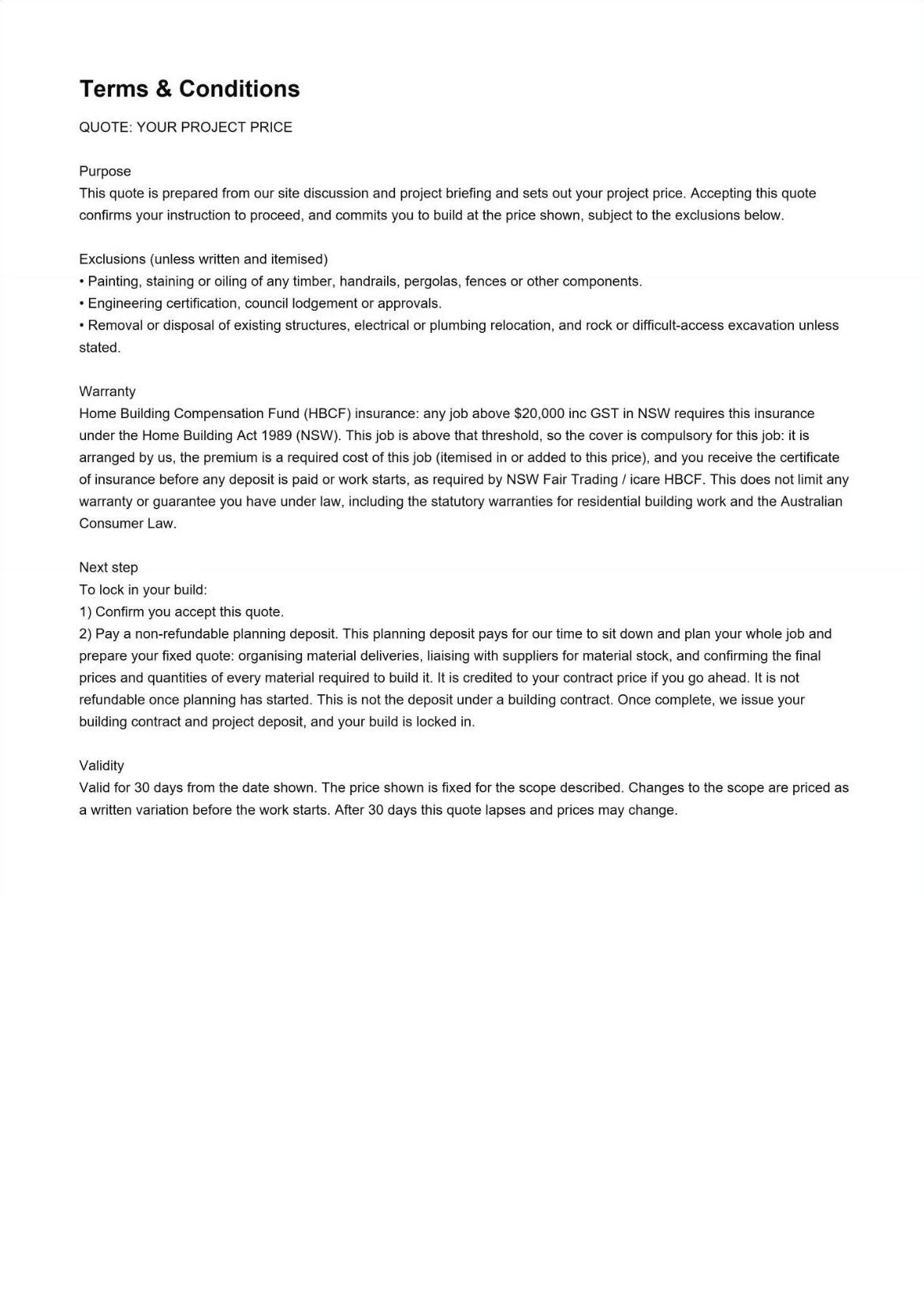
Quote cover pageProject plan pageQuote items pageTerms and conditions page
Step 3

Send it

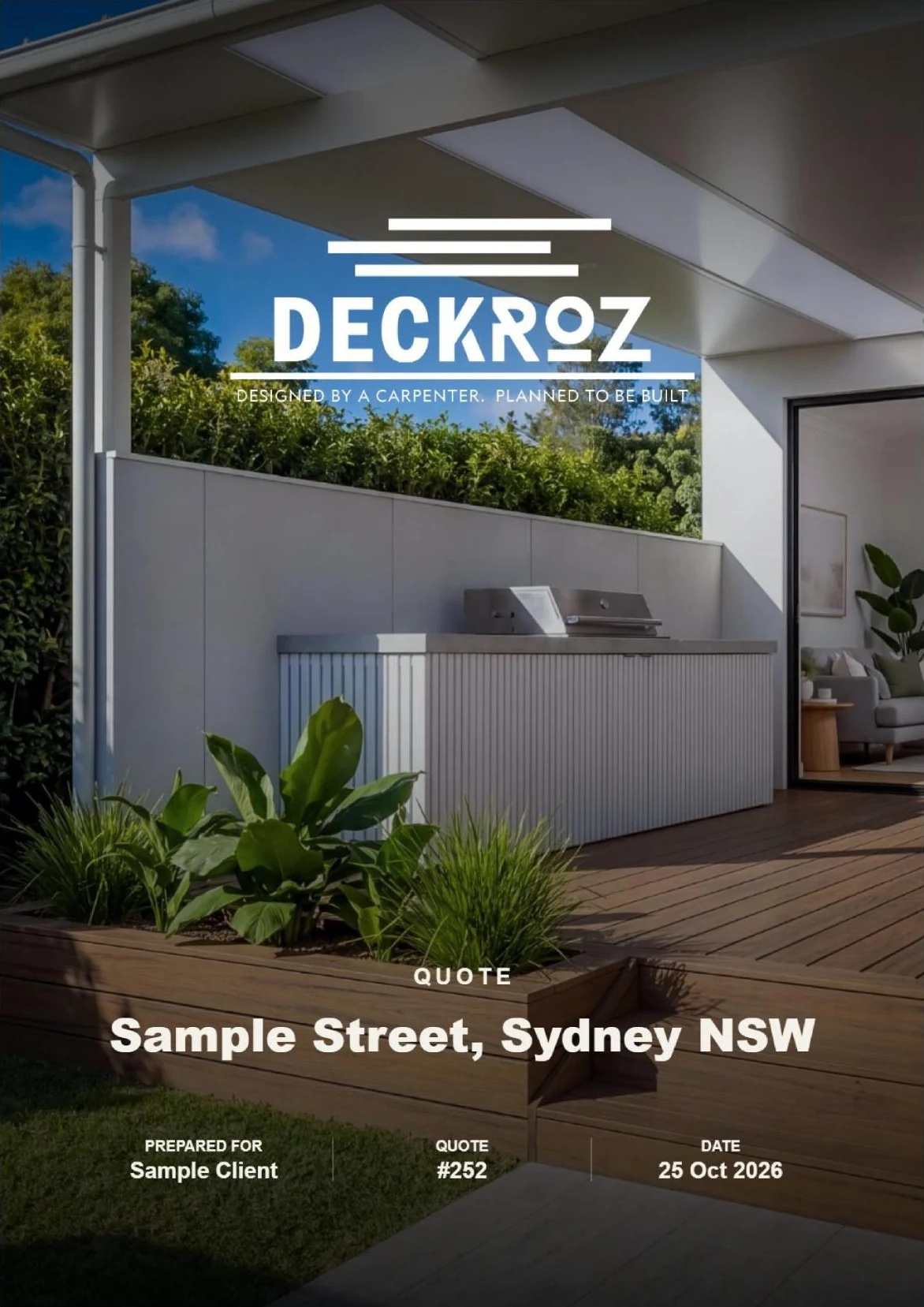
Edit what you need and send. The quote comes out ready: the hero page, the plans, the quoted items and the terms and conditions.

Built for you, no long setup

Every quote comes out as four finished pages.

Nothing to set up first. The Hub makes all of it, every time. Tap a page to see it full size.

Hero pageYour logo, the client and the address.
The plansThe deck plan and 3D, so the client sees what was allowed.
The quoted itemsYour breakdown, with as much detail as you choose.
Terms and conditionsAlready written. Edit them once.
Then it becomes a job

Quote accepted? Run the job from the same project.

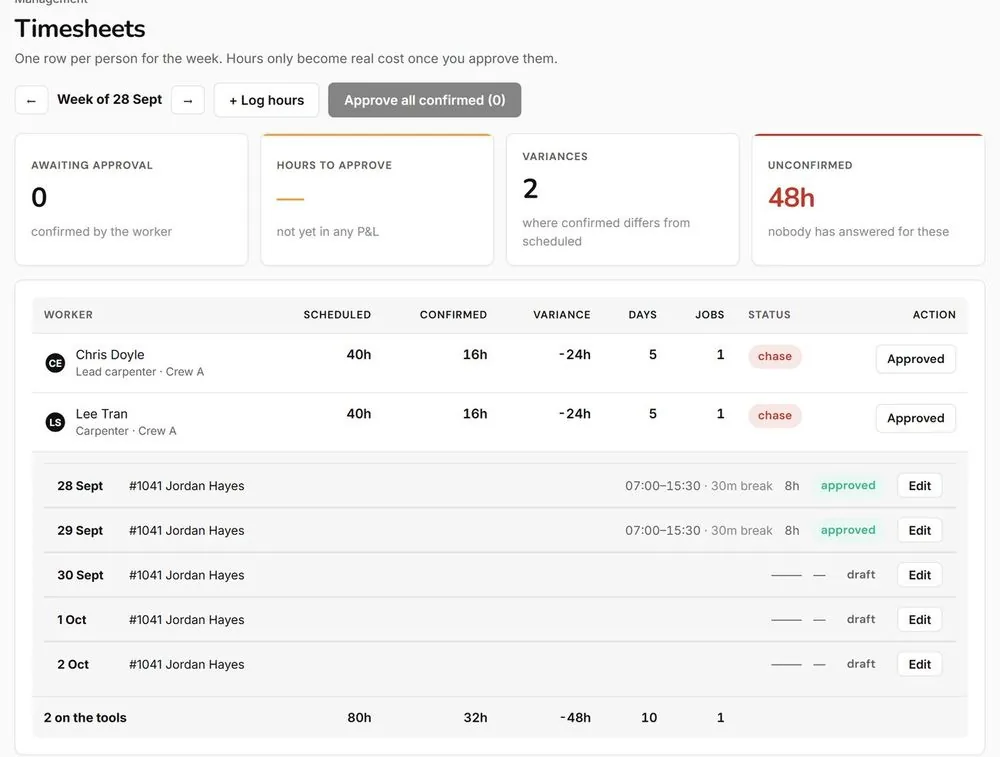
Timesheets

The crew clock their hours against the job. You see the labour against what you quoted.

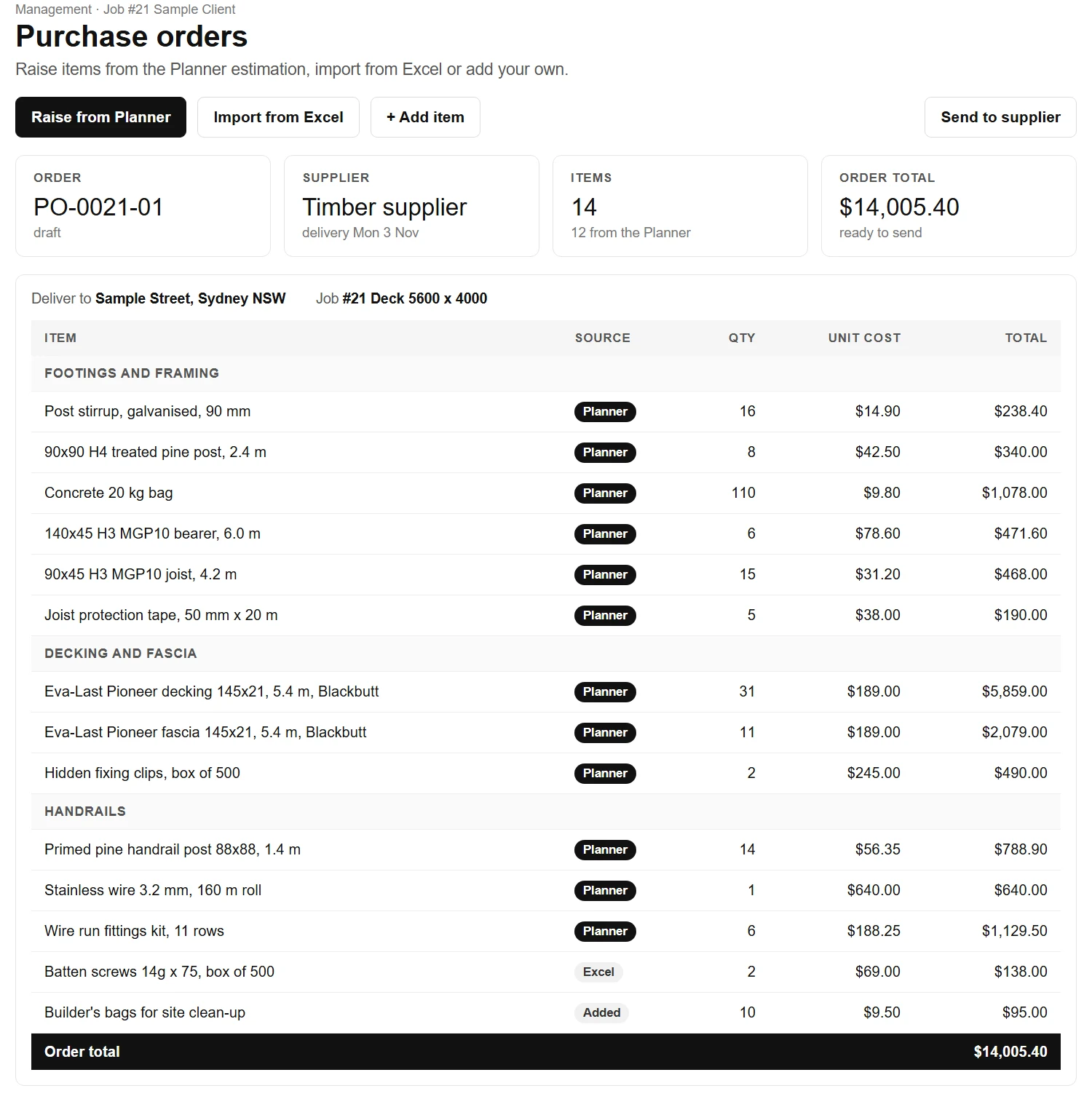
Purchase orders screen

Purchase orders

Raise items from the Planner estimation, import from Excel or add your own.

See it working

Watch the Hub do the work.

Setting up your project on mobile

A composite deck, stairs and handrails, set up on a phone.

From the Help section

These are videos you find in the Help section of the Hub, one for each step. There are about 47 of them inside the app.

Draw the deck
Pick the decking boards
Framing and footings
Stairs
Handrails
Privacy screens
Pergola
See the price
Send the deck to the quote
From builders using it

Hear it from deck builders.

Tristan, Nail It ConstructionsVideo feedback
Gavin, GJR DeckingVideo feedback
Roddy Oliveira, founder of The Deck Hub
Why Roddy built it

Why I built The Deck Hub.

Like many deck builders, I spent years working all day on the tools and then going home to design, estimate, plan and quote projects. I also worked as an estimator and project manager, and even with my CAD skills it took me almost a full day to put a project together.

After years designing systems, doing business coaching and being trained on a few different CRMs, I understood that the questions I had and the problems I faced were the same ones most deck builders face. The answers I found and the solutions I built could help a lot of people.

The Deck Hub is me sharing my passion for the decking industry, and those solutions, with more builders. Find the answers, take away the headaches, focus on what really matters, and grow together.

Roddy Oliveira, founder

  • Carpenter since 2015
  • Drawing and 3D since 2007
  • ADHRA member
  • Every quote item checked by Roddy

Before

  • Quotes written at night, after a day on site
  • Plans in one app
  • Prices in a spreadsheet
  • Everything typed in twice

With the Hub

  • Draw the deck once
  • The plan, the quote and your prices in one app
  • The quote fills in and goes out the same day
  • The job carries on from the same drawing
How we handle issues and feedback

Something wrong? We fix it, and we fix why.

Report Issue

We receive a report with exactly what you had on your screen and your description of what the issue is.

Planner issue? Here is what we do

  1. We open your project in our CAD software.
  2. We fix the framing.
  3. We fix the logic so it never happens again.
  4. We email you when the job is ready.
Send Feedback

Tell us what the Hub still does not answer

That list is how we decide what to build next. You can also reach us on Instagram.

Every approved builder gets tutorial videos to get started.

Pricing

What is quoting costing you?

Put in your own numbers. Count every quote, won or lost: the site visit, the measure, the materials list, the price and the email.

Questions

Quick answers.

How long does approval take?

Usually within 1 business day. We check every new account so only deck builders get in, and we email you as soon as you are in.

Who is it for?

The Deck Hub was made by a deck builder, for deck builders. Homeowners are not allowed in the app. We ask for your social media and ABN to confirm you are a deck builder, because we do not want homeowners using the tool to negotiate pricing.

Can I use my own prices?

Yes. Import your supplier price list from a spreadsheet (.xlsx or .csv), tell the Hub which column is which, and change any price or labour time on your quotes.

Can I connect my Xero account to the Deck Hub?

Yes. In the Hub go to Settings, Connections and press Link my Xero. Log in to your Xero account, allow the Deck Hub, and you are back in Connections. Then switch on what you want sent to Xero: invoices, payments, purchase orders and timesheets, each with its own on and off switch. Costs, margins and notes never leave the Hub. You can also bring your clients, suppliers and workers in from Xero in a few clicks (select all, or only the ones you want), so there is nothing to set up twice. Xero is on the Run plan.

Do I need to be techy?

No. Pick the quote item, type the quantity and the Hub works out the rest. Short help videos inside the app show each step.

Does it work on my phone?

Yes. The Hub runs in the web browser on your phone, iPad or computer.

How much is it?

Put your own numbers into the quoting calculator. It shows what quoting costs you now and how much you could save, then the plans.

Who made it?

Roddy Oliveira, a carpenter in the building industry since 2015, drawing in 3D since 2007. The Hub holds the rates, times and rules from those jobs.

How do I learn to use the tool?

Ask Deko, the Deck Hub assistant: press the Deko button at the top of any page and ask your question. He gives you the steps and the Help video for it. There are also short help videos inside the Hub teaching the main features. We are producing tutorials that are emailed to every new builder. We are also planning regular Zoom sessions to answer your questions and find the ones we still do not have an answer for.

How do I start?

Sign up, pick your plan and we check the account. The first 7 days are free with a $1 card check, then your plan monthly. Cancel any time.

Draw your next deck in the Hub.

Draw it, price it from your own list and send it to be signed.

Start 7 day trial

7 day trial with a $1 card check. Nothing charged until day 8. No lock-in.

Start 7 day trial