Features / Planner and materials

Draw the deck. The Hub counts the rest.

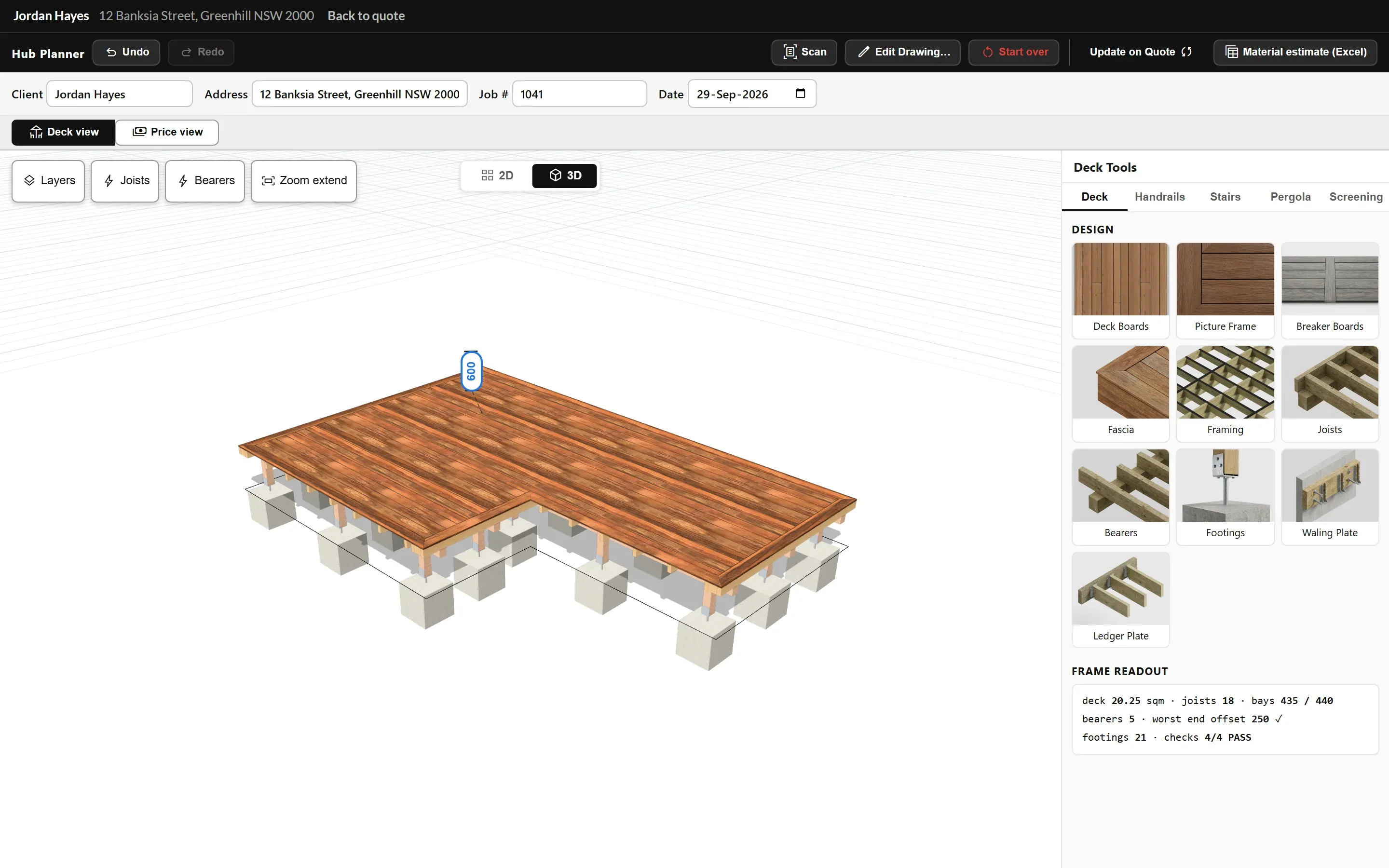
Draw or scan the deck on your phone, iPad or computer. The planner works out the frame, joists, bearers and footings, and counts every board, screw and post.

The planner

Draw the deck once and the planner does the rest.

Every decking board, every framing option, handrails, stairs, pergolas, screening: you select, set up and it is done.

The planner with an L-shaped deck in 3D showing boards, frame and footings, with the deck tools panelTap to enlarge
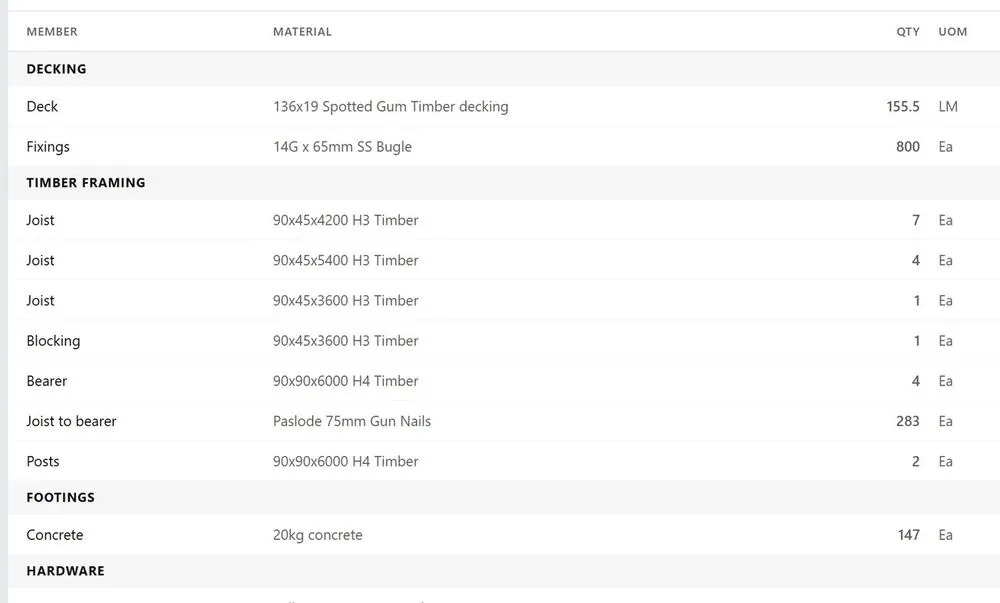
Instant bill of material estimation

Everything on the drawing, counted.

An instant bill of materials from the plan, to bring your quote as close as possible to the final number.

The bill of materials listing every board, fixing, framing member and footing counted from the drawingTap to enlarge
Plans

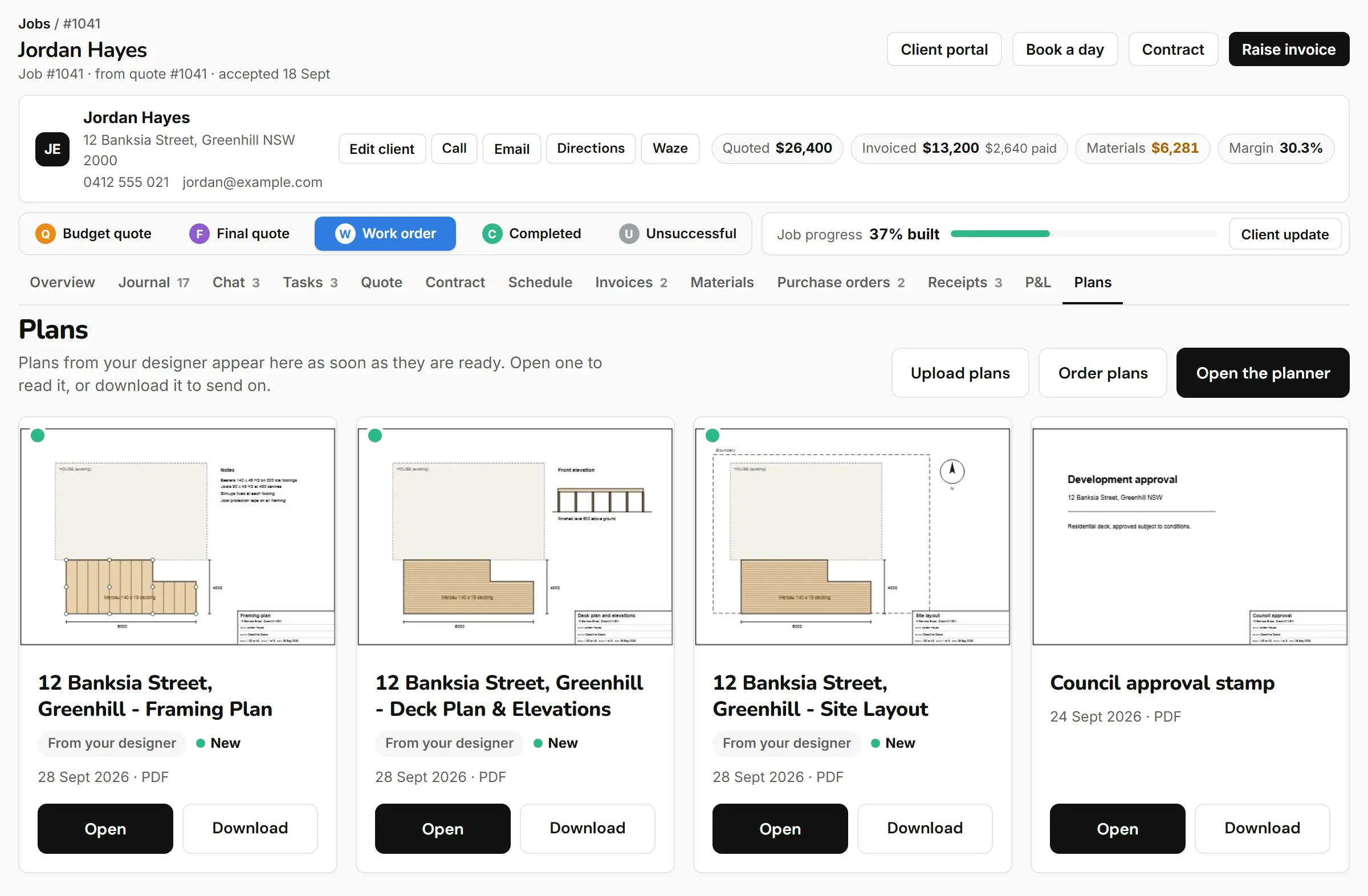
Concept plans to help you sell, site layouts to help you build.

Add them to your quote and order from your app. Deckroz, our sister business, draws them, and they appear on your job in Plans and in your client portal.

The job Plans tab: plan sheets for the framing, the deck and elevations and the site layout shown as cards with thumbnails, each with Open and DownloadTap to enlarge

Watch

Draw the deck

Drag the outline one side at a time, set the height once, type exact lengths, and the deck is framed for you.

2 min

More short videos on the Resources page.

Other features

All features

See what it costs, or start your trial.

The Deck Hub is for deck builders only.